 UIL Parents & Guardians Guide
UIL Parents & Guardians Guide
UIL Parents & Guardians Guide
The PAPF is a UIL eligibility screening tool that helps determine whether a student-athlete requires a full transfer evaluation. This tutorial explains how the form works, what parents need to know about the prescreening questions, and how completing the form affects your student's eligibility status.
Your student's eligibility status in Rank One is displayed as a colored indicator. Understanding these colors helps you track your student's PAPF progress:
As of July 1, all participants will initially appear red (ineligible). This is expected behavior and does not mean your student has lost any previously completed clearance requirements.
Log into the Parent Portal and navigate to your student's forms. The PAPF form will appear in your list of available forms. Look for it labeled as the "UIL PAPF Eligibility Form."
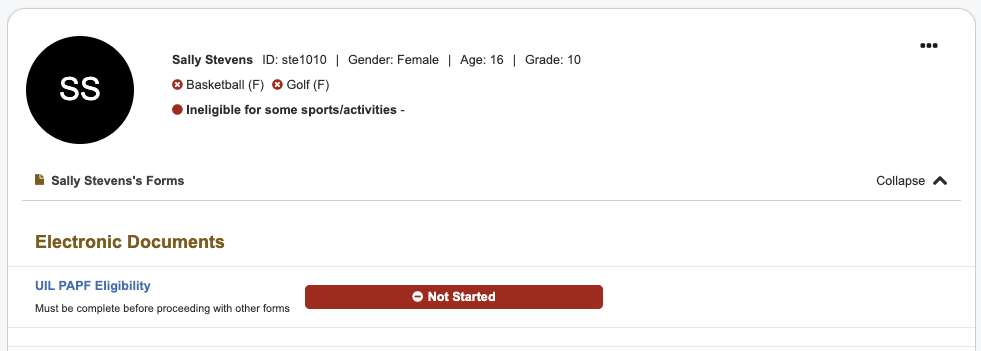
The PAPF form appears in your student's form list in the Parent Portal
The PAPF begins with a single qualifying screening question:
"Has the student attended a school other than their current school in the last 12 months?"
Select either Yes or No based on your student's school history.
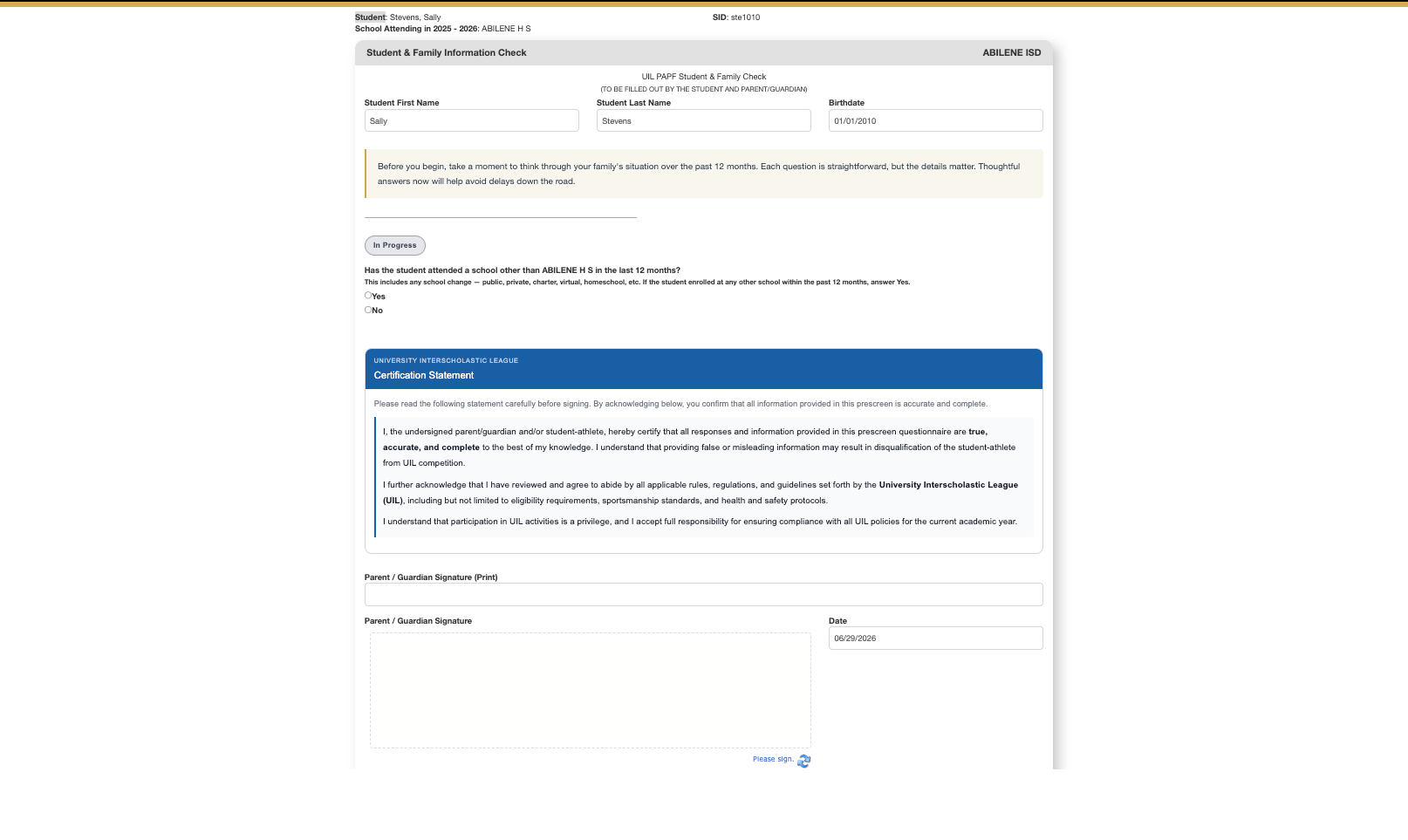
The PAPF prescreening question determines whether a full form is required
If your student has not attended another school in the last 12 months, no PAPF is required. You can submit the form immediately, and no further action is needed from your district. Your student's eligibility status will update to green (provided all other local eligibility requirements have been met).
If your student has attended another school in the last 12 months, a full PAPF may be required. You will be asked to answer additional questions about the school transfer.
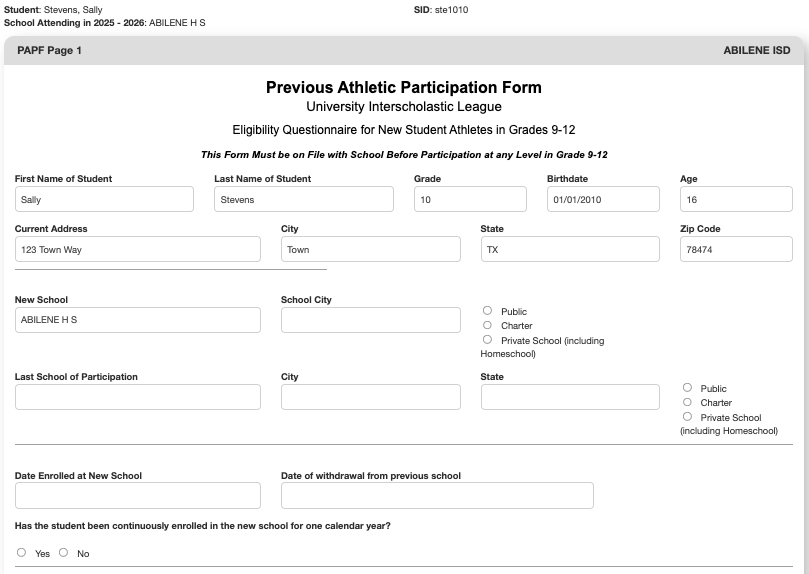
The full PAPF form collects detailed information about your student's school history
If a full PAPF is required, carefully complete all sections of the form with accurate information about your student's school transfer. Provide details about when the transfer occurred and which schools were involved.
Once you have completed all sections, submit the form.
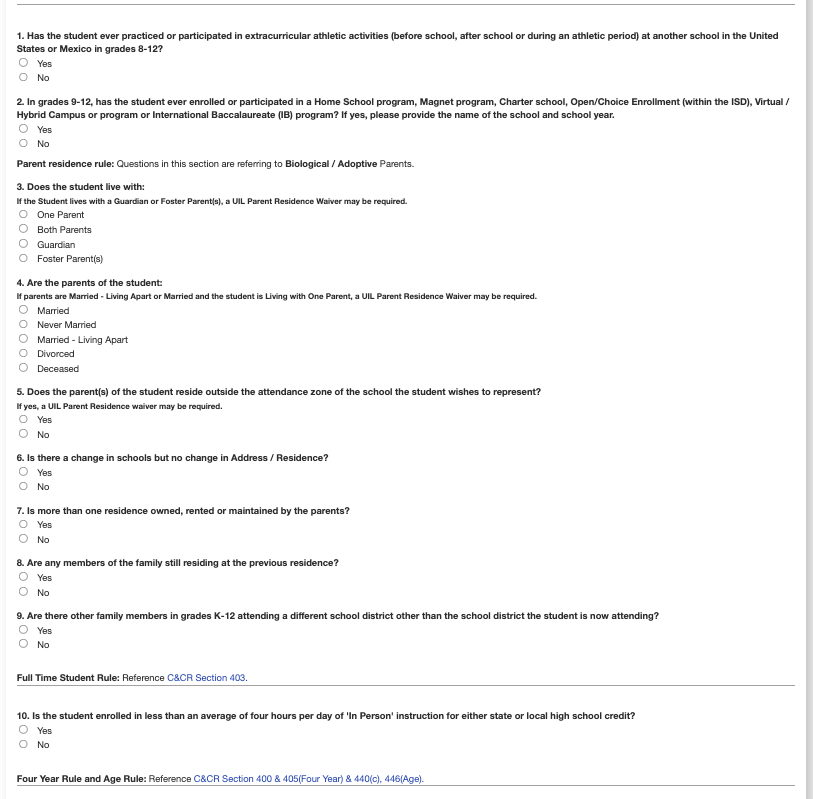
Continue filling out all required fields in the PAPF form
After you submit a completed PAPF form, your district's designated contact(s) will review and evaluate the information you provided. They will determine whether your student meets UIL eligibility requirements based on the transfer details. The district will then complete and submit their evaluation.
Before your student can access or submit any forms, including the PAPF, they must be uploaded to Rank One by your district. If your student does not appear in the Parent Portal, contact your school's athletic director or administrator to verify that your student has been added to the system.